Ultimate Guide to AllVideoDown: How to Download Free HD Videos from 100+ Websites Fast & Securely
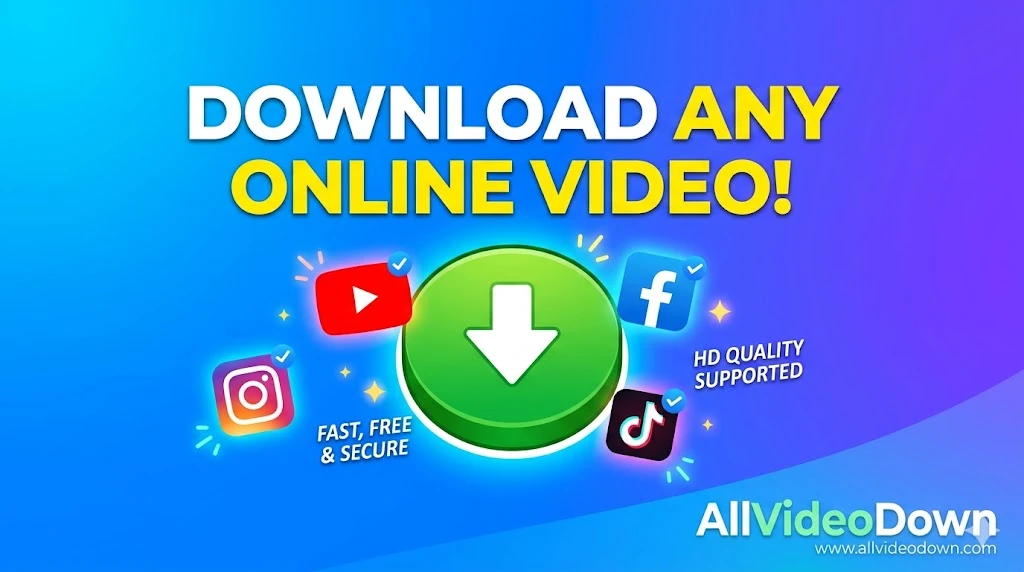
The Ultimate Guide to AllVideoDown: How to Download Free HD Videos from 100+ Websites Fast & Securely
In today’s hyper-connected, fast-paced digital era, video content has emerged as the undisputed king of the internet. From bite-sized entertainment on TikTok and Instagram Reels to lengthy, deeply educational tutorials on Facebook and Vimeo, we consume hours of video on a daily basis. But what happens when you want to save a video for later? What if you are traveling to a remote area with spotty internet coverage, or you want to archive a valuable tutorial before it gets deleted by the creator? This is exactly where a reliable, fast, and secure video downloading tool becomes an absolute necessity. Enter AllVideoDown—your ultimate, all-in-one solution for saving online videos seamlessly.
In this comprehensive, exhaustive guide, we will explore absolutely everything you need to know about downloading online videos in 2026. We will dive deep into why offline video access is crucial, how AllVideoDown stands head and shoulders above the competition, and provide you with a detailed, step-by-step tutorial on how to use it across various platforms. Whether you are a content creator looking for reference material, a student downloading university lectures, a marketer compiling competitor ads, or just an entertainment enthusiast, this definitive guide is tailored precisely for you.
1. The Digital Video Revolution: Why We Consume So Much Media
To truly understand the value of a premium tool like AllVideoDown, we first need to look at the landscape of digital media and how it has evolved over the past decade. With the exponential increase in internet bandwidth and the processing power of modern smartphones, social media platforms have pivoted aggressively from text and image-based feeds to a video-first approach.
- The Rise of Short-form Content: Platforms like TikTok, Instagram Reels, and YouTube Shorts have fundamentally revolutionized how we consume information and entertainment. Their sophisticated algorithms serve us highly engaging, 15-to-60-second clips that are highly shareable and addictive.
- Live Streaming and VODs (Video on Demand): Platforms such as Facebook Live, Twitch, and Twitter (X) Spaces generate millions of hours of content daily. Often, users want to save these VoDs to watch at their own pace without worrying about buffering or data limits.
- Educational and DIY Ecosystems: The internet is essentially the world's largest, free university. From complex cooking recipes and advanced coding tutorials to basic home repair guides, video is the universally preferred medium for learning new skills.
However, the biggest limitation built into all these platforms is that they are designed to keep you tethered to an active internet connection. Most social media giants actively restrict or completely disable native downloading capabilities. Why? Because they want to keep you on their apps, scrolling endlessly, and viewing advertisements. This restriction is exactly the gap that AllVideoDown fills perfectly, returning the power of media ownership back to the user.
2. What Exactly is AllVideoDown? A Complete Overview
AllVideoDown is a premium, web-based utility specifically engineered to extract, process, and download video and audio files from over 100+ prominent websites and social media platforms. Unlike traditional desktop software that requires tedious installation, constant updates, and heavy system resources, AllVideoDown operates entirely in the cloud through your preferred web browser.
Think of it as a highly sophisticated bridge between the host server of the video and your personal device. By simply pasting the URL (web address) of the video you wish to save, AllVideoDown's advanced backend algorithms instantaneously parse the link, locate the source media files hidden in the website's code, and provide you with direct, high-speed, and secure download links. It offers these links in various resolutions (from 480p to 4K) and formats (MP4, WebM, MP3), giving you absolute control over your download.
3. Top 10 Reasons Why You Need a Video Downloader in 2026
You might wonder, with ubiquitous Wi-Fi and the global rollout of 5G networks, why would anyone still need to download videos? The reality is that offline access offers unparalleled benefits that streaming simply cannot match. Here are the top reasons why millions of users rely on AllVideoDown every single day:
- Uninterrupted Viewing During Travel: Whether you are on a long-haul international flight, navigating a subway commute, or taking a road trip through remote countryside areas, network coverage can drop unexpectedly. By downloading your content via AllVideoDown beforehand, you guarantee uninterrupted entertainment. No buffering rings, no quality drops, and no frustrating "No Internet Connection" errors.
- Massive Savings on Mobile Data: Streaming high-definition (HD) or 4K video consumes a staggering amount of mobile data. If you are on a limited or tiered data plan, watching the same music video or fitness tutorial multiple times can quickly exhaust your monthly allowance. Downloading it once over a free Wi-Fi connection allows you to watch it infinitely without spending a single megabyte of mobile data.
- Archiving and Content Preservation: The internet is highly volatile. A video you love today might be taken down tomorrow due to account deletion, algorithmic shadowbans, copyright strikes, or sudden platform policy changes. If a video holds sentimental value, educational importance, or professional utility, downloading it ensures you have a permanent, archived copy on your hard drive.
- Content Creation and Remixing (Fair Use): Content creators, video editors, and meme-makers frequently need snippets of existing videos to create reaction videos, compilation edits, or transformative remixes. AllVideoDown allows creators to fetch high-quality source material quickly, bypassing the need for clunky screen-recording software that severely degrades video and audio quality.
- Educational Studying and Note-Taking: Students often need to pause, rewind, and re-watch complex lecture videos or documentary clips. Having the file downloaded locally to a laptop allows for smoother playback control using dedicated media players (like VLC), making it easier to take accurate notes without browser lag.
- Overcoming Geo-Restrictions: Sometimes, you might travel to a country where a specific platform or video is blocked due to regional licensing. If you download the video beforehand, you can watch it anywhere in the world, regardless of local censorship or geo-blocking.
- Extracting High-Quality Audio: Not everyone wants the video. Sometimes, you hear a fantastic background track, a motivational speech, or a podcast episode. AllVideoDown allows you to strip the video and download just the audio in crisp MP3 format.
- Creating Offline Playlists for Events: If you are hosting a party, a presentation, or an event in a venue with poor Wi-Fi, relying on streaming YouTube or Vimeo is a huge risk. Downloading your media ensures your presentation or playlist runs flawlessly.
- Avoiding Annoying Pre-roll and Mid-roll Ads: Streaming platforms are increasingly aggressively inserting unskippable ads into their content. When you download a video using AllVideoDown, you get the pure media file—100% ad-free playback.
- Sharing via Offline Methods: Sometimes you need to share a large video file with someone who doesn't have internet access, or you need to transfer it via a USB flash drive or local network. A downloaded MP4 file makes this instantly possible.
4. Deep Dive: Platforms Supported by AllVideoDown
One of the primary reasons AllVideoDown is considered a premium tool is its immense versatility. While many competing tools are "single-purpose" (e.g., they only work for Instagram OR only for TikTok), AllVideoDown is a universal, omni-platform downloader. Here is an in-depth look at the major platforms it supports natively:
A. Facebook Video Downloader
Facebook remains a colossal hub for diverse video content, ranging from viral comedy skits and news broadcasts to multi-hour live gaming streams. However, Facebook's native app architecture strictly prohibits saving videos directly to your device's camera roll or hard drive. With AllVideoDown, you can easily copy the link of any public Facebook video, Reel, or Watch content and download it directly in MP4 format. This is perfect for saving family memories posted by relatives or downloading informative DIY videos to watch in your garage without Wi-Fi.
B. Instagram Downloader (Reels, IGTV, Stories, Posts)
Instagram's highly visual platform is addictive, but it keeps its content heavily locked within its proprietary ecosystem. Whether it is a breathtaking 4K travel Reel, an in-depth IGTV cooking tutorial, or a multi-slide video carousel post, AllVideoDown can fetch it seamlessly. It completely bypasses the need for low-quality screen recording, providing you with the crisp, original video file exactly as the creator uploaded it.
C. Twitter (X) Video Saver
Twitter (now known as X) moves at the speed of light. Videos on this platform often capture breaking global news, exclusive sports highlights, and viral, ephemeral memes. Because tweets can be deleted in an instant by the user or removed by moderators, downloading them quickly is vital for journalists, archivists, and everyday users. AllVideoDown handles Twitter's unique media integration smoothly, allowing you to save videos before they vanish forever from your timeline.
D. TikTok Video Downloader (Without Watermark)
TikTok has undeniably taken the world by storm, dictating global trends and music charts. While TikTok does offer a native "Save Video" feature, it comes with a major caveat: it slaps a distracting, bouncing watermark on the video, and crucially, some creators actively disable the download option entirely. AllVideoDown acts as the ultimate TikTok companion, allowing you to bypass these restrictions and download the clean video file.
E. Professional and Niche Platforms
Beyond the "Big Four" social media giants, AllVideoDown's powerful scraping engine supports dozens of other crucial platforms, including but not limited to:
- Vimeo: Known for high-quality, professional video hosting utilized by filmmakers and corporations.
- Dailymotion: A massive global alternative video-sharing site with millions of videos.
- LinkedIn: Essential for saving professional webinars, corporate training videos, and industry keynotes.
- Reddit: The front page of the internet, filled with viral clips, news footage, and community-driven content.
- Pinterest: Ideal for saving inspirational video pins related to fashion, interior design, and crafts.
- Tumblr, Imgur, LiveLeak, and many more!
5. The Ultimate Step-by-Step Guide to Using AllVideoDown
One of the core design philosophies behind AllVideoDown is absolute user-friendliness. You do not need to be a tech-savvy developer or a computer wizard to use it. The interface is clean, intuitive, and distraction-free. Here is a foolproof, detailed guide to downloading your first video across different devices.
Method 1: Using a Desktop Computer (Windows PC / Apple Mac)
- Locate the Target Video: Open your preferred web browser (Google Chrome, Mozilla Firefox, Safari, or Microsoft Edge) and navigate to the website containing the video you want to download.
- Copy the Video URL: Click on the video to open it fully. Go to your browser's top address bar, highlight the entire URL (it should start with https://), right-click the highlighted text, and select "Copy". (Alternatively, you can press Ctrl+C on Windows or Cmd+C on Mac).
- Navigate to AllVideoDown: Open a new browser tab and type in the web address for the AllVideoDown portal.
- Paste the Link: You will see a prominent, large input box situated right in the center of the homepage. Right-click inside this box and select "Paste" (or press Ctrl+V / Cmd+V).
- Initiate the Process: Click the brightly colored "Download" or "Start" button located right next to the input box.
- Select Quality and Format: Our backend servers will process the link (this usually takes 2 to 5 seconds depending on the video length). Once processed, you will be presented with a clean list of available formats (e.g., MP4, MP3) and qualities (e.g., 1080p, 720p, 480p).
- Download and Save: Click the download button corresponding to your preferred option. The video file will immediately begin downloading to your computer's default "Downloads" folder.
Method 2: Using a Mobile Device (Android Smartphone / Apple iPhone or iPad)
- Open the Native App: Launch the specific social media app (e.g., Instagram, Facebook, TikTok) on your smartphone.
- Find the Share Button: Navigate to the specific video you want to save. Look for the "Share" icon. (On iOS, it often looks like a box with an arrow pointing up; on Android, it’s usually three connected dots or a right-facing arrow).
- Copy the Link: Tap the share icon, and from the menu that pops up, locate and tap the "Copy Link" option. The link is now saved to your phone's invisible clipboard.
- Open Your Mobile Browser: Minimize the social media app and open Safari (for iOS users), Chrome (for Android users), or any mobile browser you prefer. Go to the AllVideoDown website.
- Paste and Process: Tap and hold your finger inside the main search/input field until a tiny menu pops up. Select "Paste". Then, tap the download icon.
- Save to Your Device: Choose your desired video quality from the generated list.
- On Android: The file will automatically download and appear in your "Files" app or "Gallery" under a Downloads folder.
- On iPhone/iOS (Safari): A popup will ask if you want to download the file. Tap "Download." Then, tap the blue downward-pointing arrow in your Safari address bar, select "Downloads," click on the video, tap the share icon again, and finally select "Save Video" to move it permanently into your iPhone Camera Roll.
6. Technical Marvel: How AllVideoDown Processes Videos Behind the Scenes
While the front-end user interface is intentionally simple and sleek, the backend technology powering AllVideoDown is a highly sophisticated marvel of modern web engineering. When you paste a URL and hit download, you aren't just downloading a static file; you are triggering a complex, automated sequence of advanced networking events.
- Phase 1: URL Parsing and Validation. The system instantly analyzes the pasted string of text. It identifies which platform the link belongs to (e.g., recognizing an 'instagram.com/reel' structure versus a 'twitter.com/status' structure). It also verifies if the link is public, accessible, and not broken.
- Phase 2: API Interfacing and Scraping. Modern websites are complex. They do not simply host a single, easily clickable `.mp4` file in their source code. Instead, they use advanced protocols like Adaptive Bitrate Streaming (HLS or DASH). This technology breaks a single video into hundreds of tiny, encrypted segments to optimize streaming over slow connections. AllVideoDown's engine acts as a highly intelligent client. It reads the master playlist files (usually .m3u8), locates the specific segments for the highest quality video and audio streams, and begins fetching them simultaneously.
- Phase 3: Real-time Muxing. In many modern high-definition streams (especially 1080p and 4K), social media platforms stream the video track and the audio track as two completely separate files to save server bandwidth. If you downloaded them as is, you would get a silent video. Our high-speed backend servers rapidly download both separate streams and perform a process called "Muxing" (Multiplexing). This complex process stitches and synchronizes the separate audio and video tracks back together into a single, seamless, ready-to-play MP4 file—all happening in mere seconds before presenting the final download button to you.
7. Legal and Ethical Considerations: Downloading Safely
As they say, with great power comes great responsibility. AllVideoDown is a highly potent tool, and we strongly encourage responsible, legal, and ethical usage. It is crucial for users to understand the legal landscape surrounding media downloading.
A. Personal Use vs. Commercial Redistribution
Downloading videos for your own personal, private, and offline viewing is generally considered entirely acceptable and falls under the umbrella of "personal use" in most global jurisdictions. If you download a makeup tutorial to practice later, a music video to listen to on a train, or a funny meme to show your friends locally, you are well within ethical boundaries.
However, downloading copyrighted material to redistribute it, sell it, upload it to your own channel for monetization, or claim it as your original work is strictly illegal and constitutes copyright infringement. AllVideoDown is designed as a utility for archiving and personal convenience, not as a tool for facilitating digital piracy.
B. The Doctrine of Fair Use
For content creators, educators, and journalists, the legal doctrine of "Fair Use" (in the US) or "Fair Dealing" (in other countries) allows the use of copyrighted material without explicit permission under specific, narrow circumstances. These usually include commentary, criticism, news reporting, parody, or educational research. If you are downloading a short clip via AllVideoDown to critically analyze it in your own video essay, this is generally protected, provided your use is highly transformative and doesn't hurt the original creator's market.
C. Respecting Privacy Boundaries
AllVideoDown is programmed to only access and download videos that are publicly available on the open internet. It fundamentally cannot (and will not) bypass security protocols or privacy settings to download videos from private, locked accounts, secret Facebook groups, or password-protected Patreon pages. We deeply respect the digital privacy of creators and everyday users alike.
8. AllVideoDown vs. The Competition: Why We Stand Out
A simple Google search will reveal hundreds of "free video downloaders." So, why should you bookmark AllVideoDown as your daily driver? Let’s look at how we compare to the rest of the market:
| Feature | AllVideoDown | Typical Competitor Tools |
|---|---|---|
| Pricing Model | 100% Free Forever. No hidden paywalls. | Often bait-and-switch. Free for low-res, paid for 1080p. |
| Ad Experience | Clean, safe, and non-intrusive ad placements. | Flooded with malicious pop-ups and fake "Download" buttons. |
| Installation | Web-based. Zero installation required. | Requires downloading sketchy software or browser extensions. |
| Platform Support | 100+ Websites (Universal compatibility). | Usually limited to 1 or 2 specific sites. |
| Muxing Capability | Automatically merges high-res video and audio. | Downloads 1080p videos with no sound. |
| Security & Privacy | No user tracking, no logs kept of downloaded files. | Often tracks user data or bundles malware in installers. |
9. Troubleshooting and Expert Tips for Faster Downloads
While AllVideoDown boasts an impressive 99.9% uptime and a massive success rate, the ever-changing, dynamic nature of internet platforms means you might occasionally run into a minor hiccup. Here is an expert guide on how to solve the most common issues:
- Error Message: "Link Not Supported or Video is Private": First, ensure that the video you are trying to download is definitively set to "Public." If it was posted by a private account, our servers cannot "see" it. Second, double-check that you copied the full, exact URL. Sometimes, sharing menus append extra text (like "Check out this video: https...") which breaks the link parser.
- Video Downloads Without Sound: As discussed in the technical section, some platforms separate audio and video at extreme resolutions (like 4K). If you select a very specific high-resolution format and it plays silently on your computer, try downloading the standard 1080p or 720p MP4 version instead, which is almost always pre-muxed with the audio track.
- Slow Download Speeds: If the processing is fast but the actual file download to your computer is crawling, check your local Wi-Fi router or data connection. If your connection is strong, the source server where the video originates (e.g., Facebook's servers) might be experiencing heavy global traffic. Pause the download and try again during off-peak hours.
- Download Fails Midway Through: This is almost exclusively caused by a momentary drop or micro-disconnection in your own internet connection. Ensure you have a stable line. You do not need to restart the whole process; often, your browser can "resume" the download. If not, simply paste the link into AllVideoDown again to generate a fresh, active download ticket.
10. Frequently Asked Questions (FAQs)
Q1: Is AllVideoDown genuinely completely free to use?
A: Yes, absolutely. AllVideoDown is 100% free. We sustain the server costs through minimal, non-intrusive advertising on the site. There are no premium tiers, no hidden subscriptions, and no credit cards required, ever.
Q2: Will I get a virus or malware from using this site?
A: AllVideoDown is incredibly safe. Because it is a purely web-based service, you never have to execute or install any `.exe` or `.apk` files on your device. Furthermore, our website is secured with enterprise-grade SSL encryption to protect your connection.
Q3: Is there a limit to how many videos I can download in a single day?
A: No. We offer unlimited downloads to our users. Whether you want to download 1 video or 100 videos a day for a project, you will not be restricted or throttled.
Q4: Do I need to create an account, sign up, or provide my email address?
A: Not at all. We champion user anonymity and privacy. You can visit the site, paste your link, and download your media completely anonymously without ever registering.
Q5: Can I download Live Streams directly as they are happening?
A: Due to the nature of live streaming, you cannot download a stream while it is actively, currently broadcasting. However, the moment the live stream concludes and the creator publishes it as a VoD (Video on Demand) on their timeline/profile, you can grab that new link and download the entire broadcast via AllVideoDown.
Q6: Why can't I download a video from my friend's private Instagram account?
A: AllVideoDown acts as an independent guest viewer. It does not have the ability, nor the legal right, to bypass social media login credentials, firewalls, or privacy settings. If an unregistered guest on the internet cannot view the video, our tool cannot fetch it.
Q7: Does AllVideoDown keep a copy of my downloaded videos on its servers?
A: Absolutely not. We do not store, host, mirror, or archive any of the videos you download. Our servers merely act as a temporary conduit, processing the link and passing the direct download file straight from the source platform directly to your local device. Once the transfer is complete, no trace of the media remains on our end.
Q8: What is the absolute highest video quality I can download?
A: The output quality depends entirely on the source file uploaded by the original creator. If a videographer uploaded a stunning 4K, 60fps video to Vimeo or YouTube, AllVideoDown will parse that and provide a 4K download option. However, if a user uploaded an old, grainy 480p video from 2012, that 480p resolution is the maximum quality available. We cannot "upscale" a low-quality original video.
Q9: Where do the downloaded videos go on my computer or phone?
A: On Windows and Mac desktop computers, they will automatically save to your system's default "Downloads" folder (unless you have changed your browser settings to ask for a location every time). On Android, they go to the "Downloads" directory within your File Manager. On iPhones, they save to Safari's Download manager, from which you must manually click "Save Video" to move them to your Photos app.
Q10: Can I use AllVideoDown on my Smart TV or Gaming Console?
A: If your Smart TV (like Android TV) or Gaming Console (like PS5 or Xbox Series X) has a built-in, modern web browser, you can technically navigate to AllVideoDown and use it. However, managing downloaded files on TVs and consoles can be complex. It is highly recommended to download the files to a PC or Mac first, put them on a USB flash drive, and plug that into your TV.
Q11: Can I download just the music or audio track from a video?
A: Yes! Whenever the source platform allows it, AllVideoDown parses the audio stream separately and provides a distinct option to download the file purely as an MP3 or M4A audio file. This feature is beloved by users who want to build offline music playlists, save motivational speeches, or download podcast episodes without the large video file taking up space.
Q12: Is there a maximum file size or time limit for the video I can download?
A: On our end, there is generally no strict limit. You can download anything from a fleeting 15-second TikTok to a massive 3-hour university lecture. However, please note that extremely large files (like multi-gigabyte 4K movies) will naturally take much longer to process and will require a highly stable, uninterrupted internet connection to download successfully without timing out.
Q13: Does AllVideoDown remove watermarks from TikTok videos?
A: Yes! One of our most popular features is the ability to download TikTok videos completely free of the bouncing watermark, giving you a clean, pristine video file perfect for re-sharing across other platforms like Instagram Reels or YouTube Shorts (provided you have the right to do so).
Q14: Why do some files download as WebM instead of MP4?
A: WebM is a modern, open-source media file format sponsored by Google, highly optimized for web delivery. Sometimes, if the MP4 version is unavailable at a specific high resolution, the host site will only provide a WebM file. WebM files are perfectly safe and can be played on almost any modern browser, Android device, or media player like VLC.
Q15: How can I support AllVideoDown?
A: The best way to support our free tool is simply by sharing it! Bookmark our website, tell your friends and family about us, share our link on social media, and use the tool whenever you need to save a video. Your continued usage keeps the platform alive and free for everyone globally.
11. Conclusion: The Power of Media Ownership in Your Hands
The digital world moves at a breakneck, incredibly fast pace, and content comes and goes in the blink of an eye. Relying solely on unpredictable platform algorithms, shifting terms of service, and the constant availability of a stable internet connection to access your favorite media is a gamble you don't need to take. AllVideoDown puts the power of media ownership firmly back in your hands, giving you the absolute freedom to curate, archive, and enjoy digital media entirely on your own terms.
With its unbeatable combination of being 100% free forever, requiring absolutely no sketchy software installation, supporting stunning HD and 4K resolutions, and offering seamless cross-platform compatibility across 100+ websites, it is unequivocally the ultimate tool for anyone looking to save online videos. Whether you want to preserve a cherished, irreplaceable family memory posted by a relative, study a complex educational tutorial offline during a commute, or gather high-quality clips for your next major creative project, AllVideoDown is your reliable, fast, and secure go-to companion.
Stop worrying about buffering, deleted posts, or exhausting your expensive mobile data caps. Take control of your digital consumption today. Bookmark AllVideoDown in your browser right now, and unlock the true, unhindered potential of offline video viewing. Happy downloading!